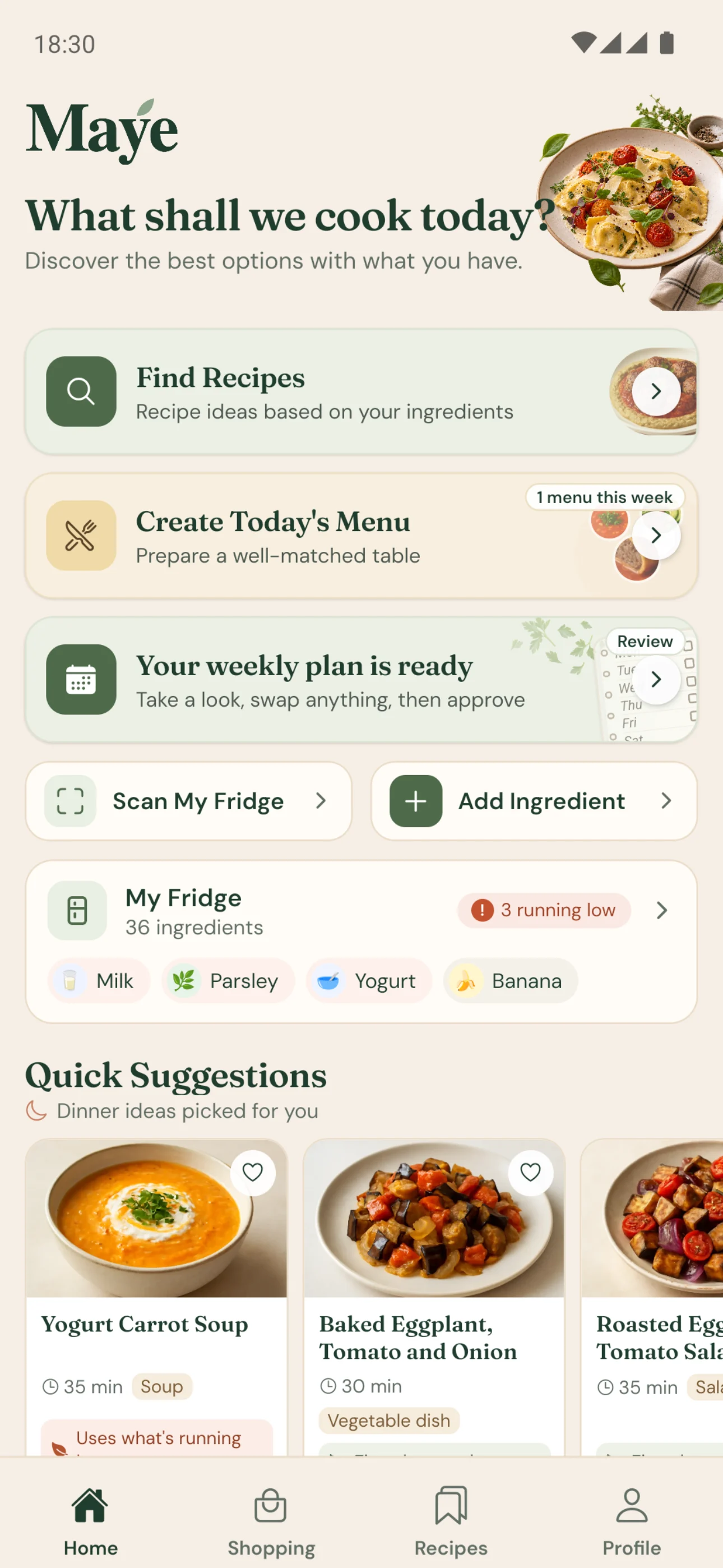
From fridge to table
Recipes you can actually cook with what you have.
Snap your fridge, let Maye spot the ingredients, and confirm the list. You get the recipes, today's menu and a weekly plan that fit what you already have, with anything missing listed upfront.

Available now for iPhone and Android on the App Store and Google Play. See how it works
How it works
From a photo to a recipe, in four steps.
-
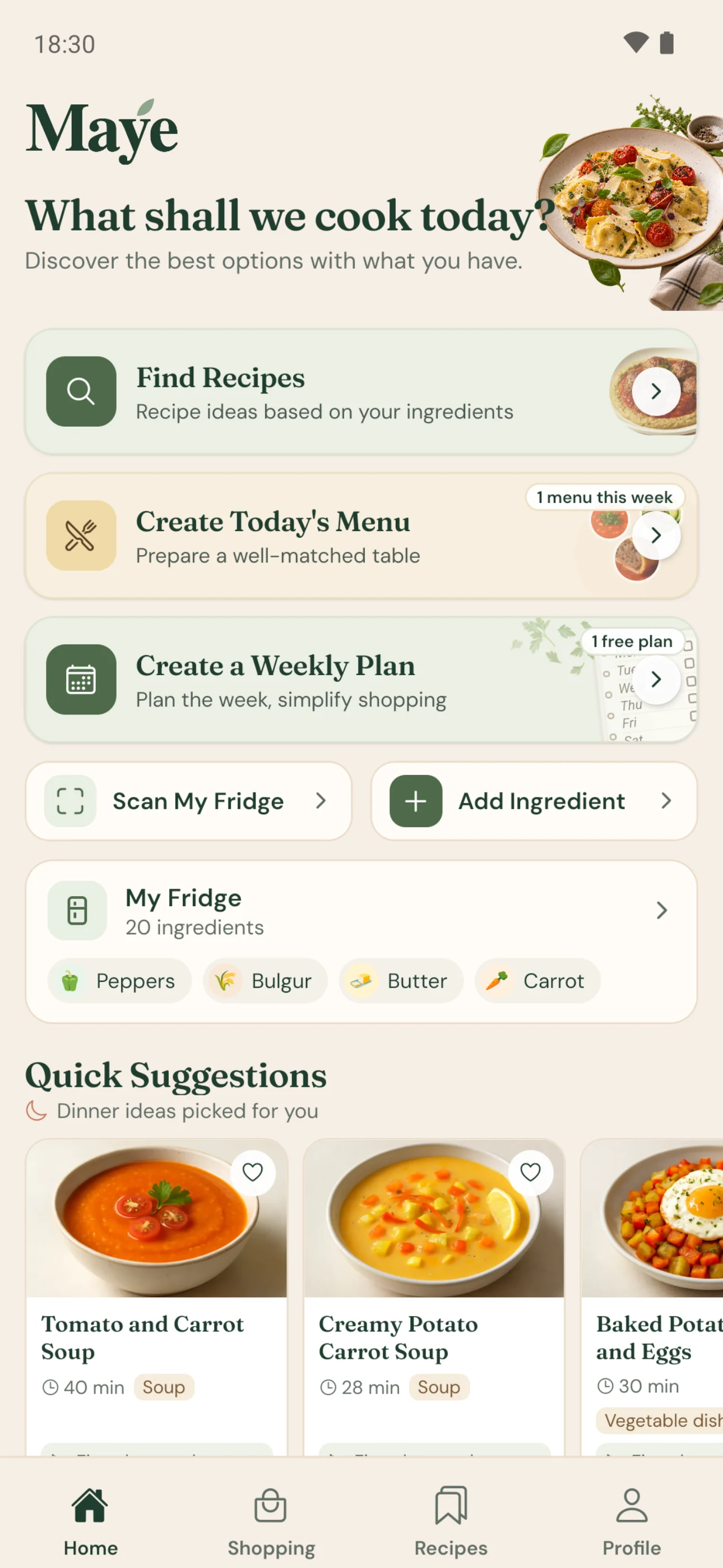 01
Show Maye your fridge
Start with a photo. Maye lists the ingredients it can see for you.
-
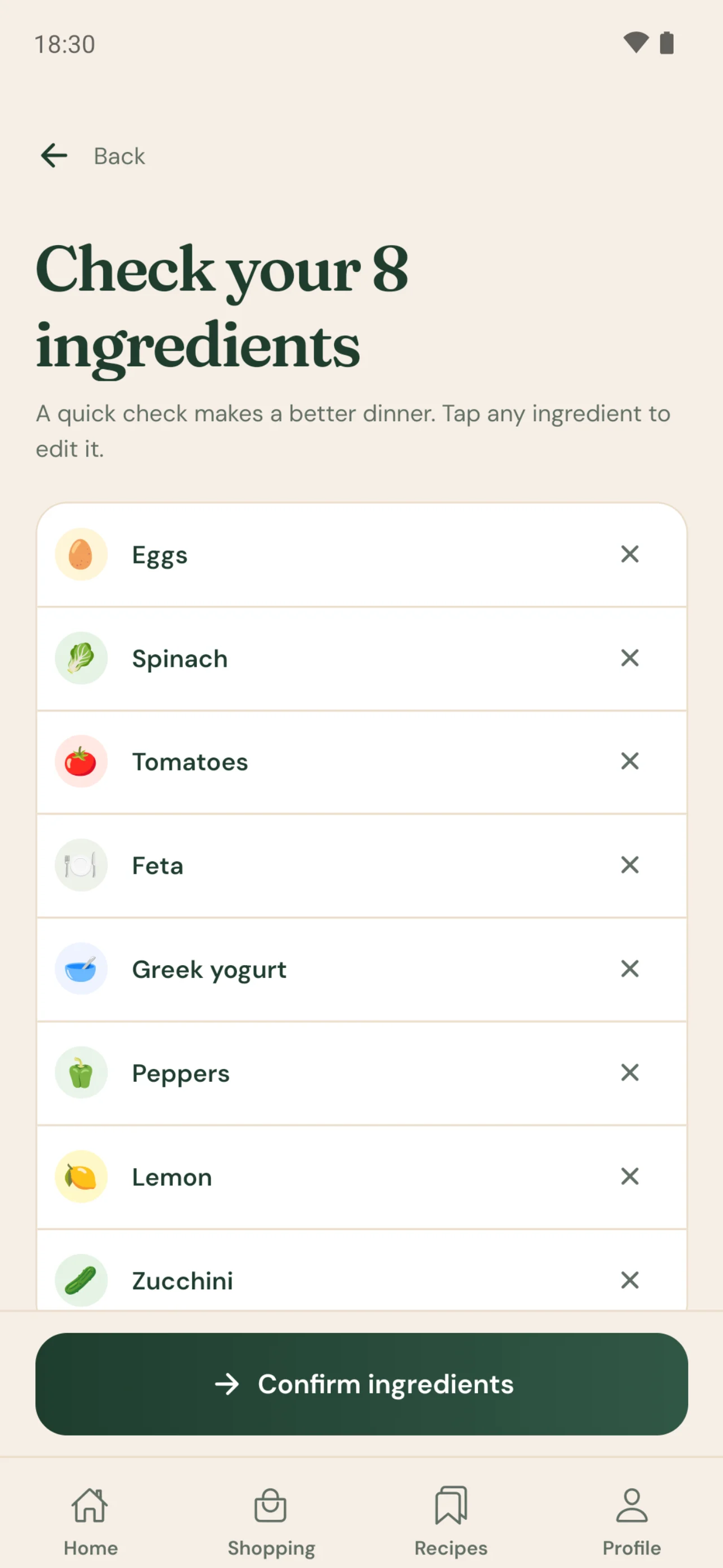 02
Check what it found
Fix anything wrong, add what’s missing. The list is final once you confirm it.
-
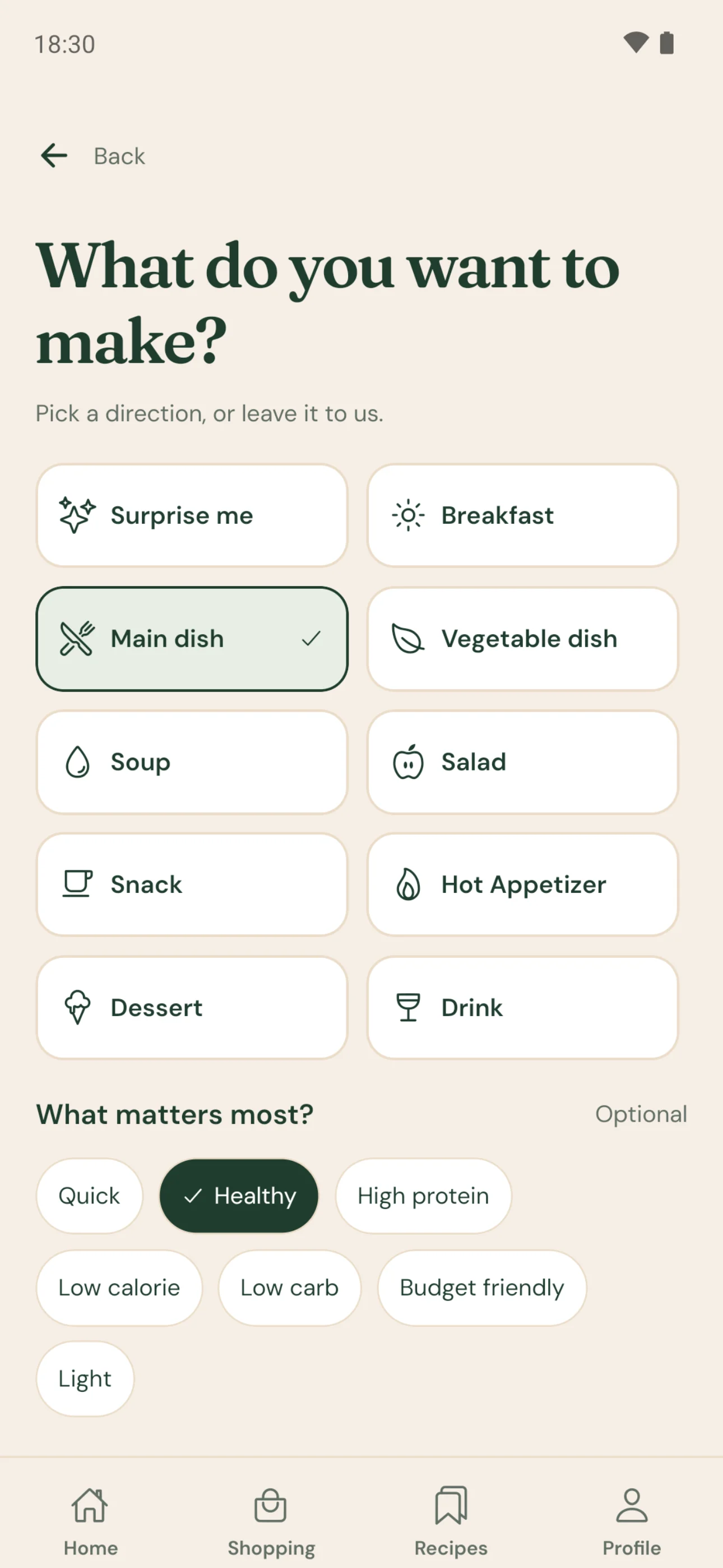 03
Say what you feel like
A main, a salad, something sweet? Or tell Maye in your own words.

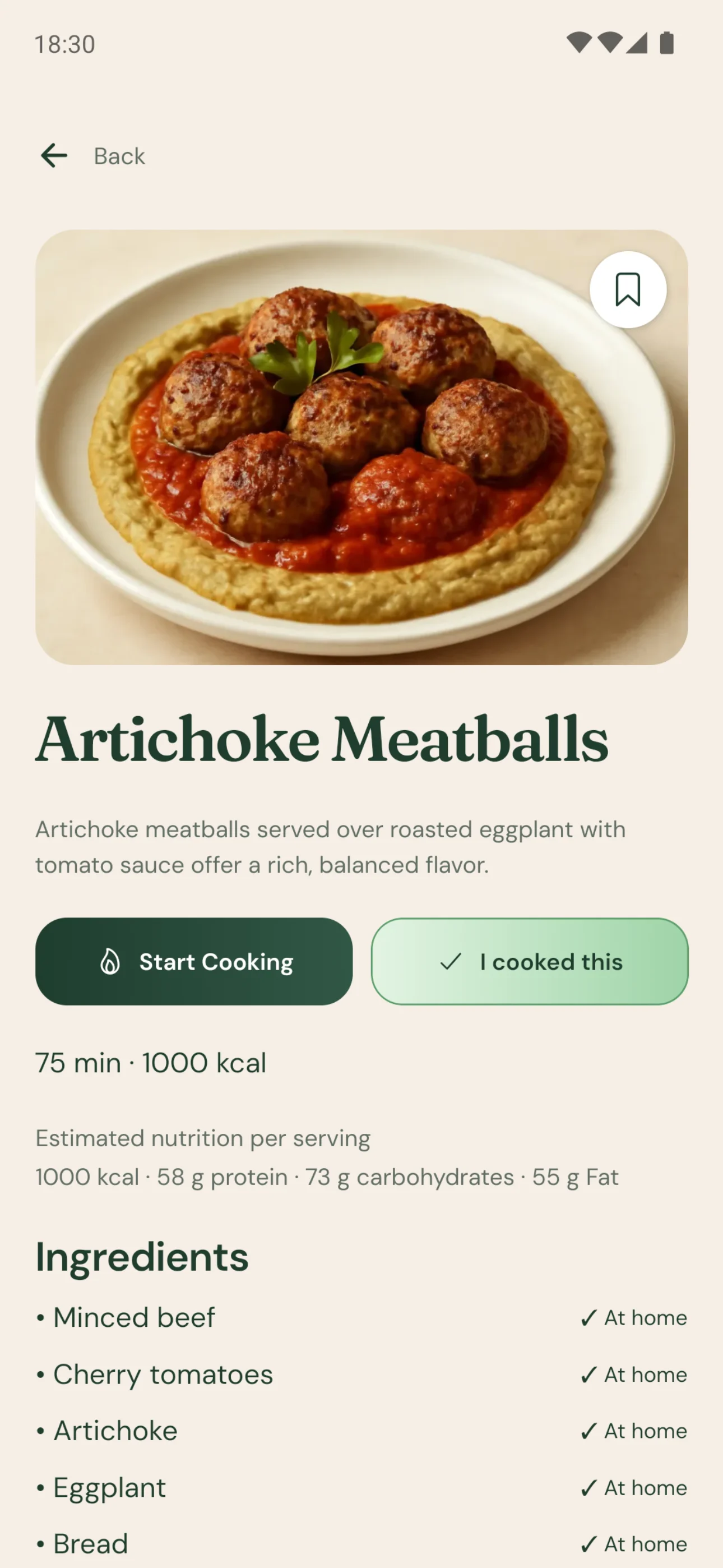
Pick a recipe, start cooking
Open one of your suggestions: photo, timing, nutrition, ingredients and steps are all there.
What makes Maye different
Not just any recipes. The ones that fit what you have.
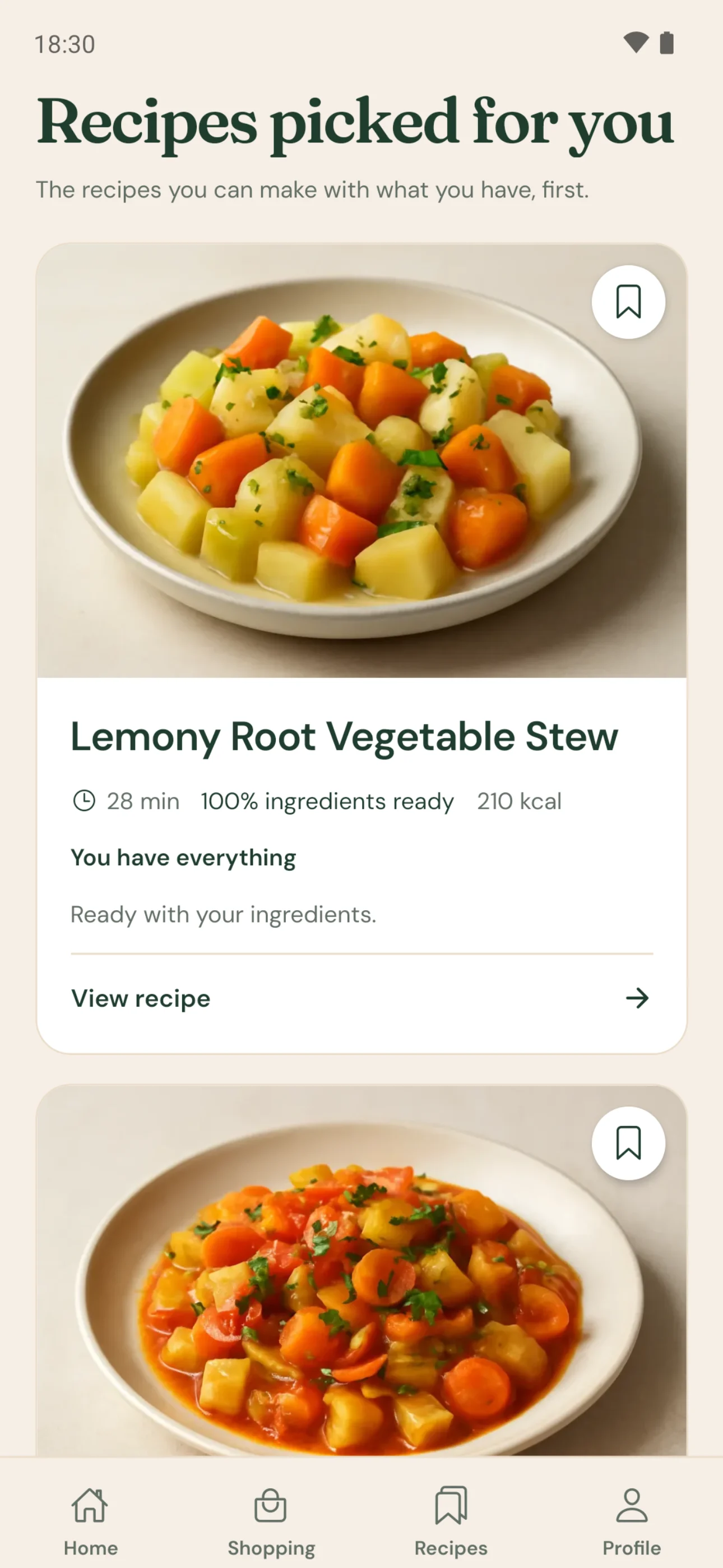
Maye puts the recipes that use what’s already in your fridge first, keeps missing ingredients to a minimum, and shows you exactly what’s missing before you commit.
-
01
How much is ready, on every card
Each recipe card shows how much of the ingredient list is already in your fridge.
-
02
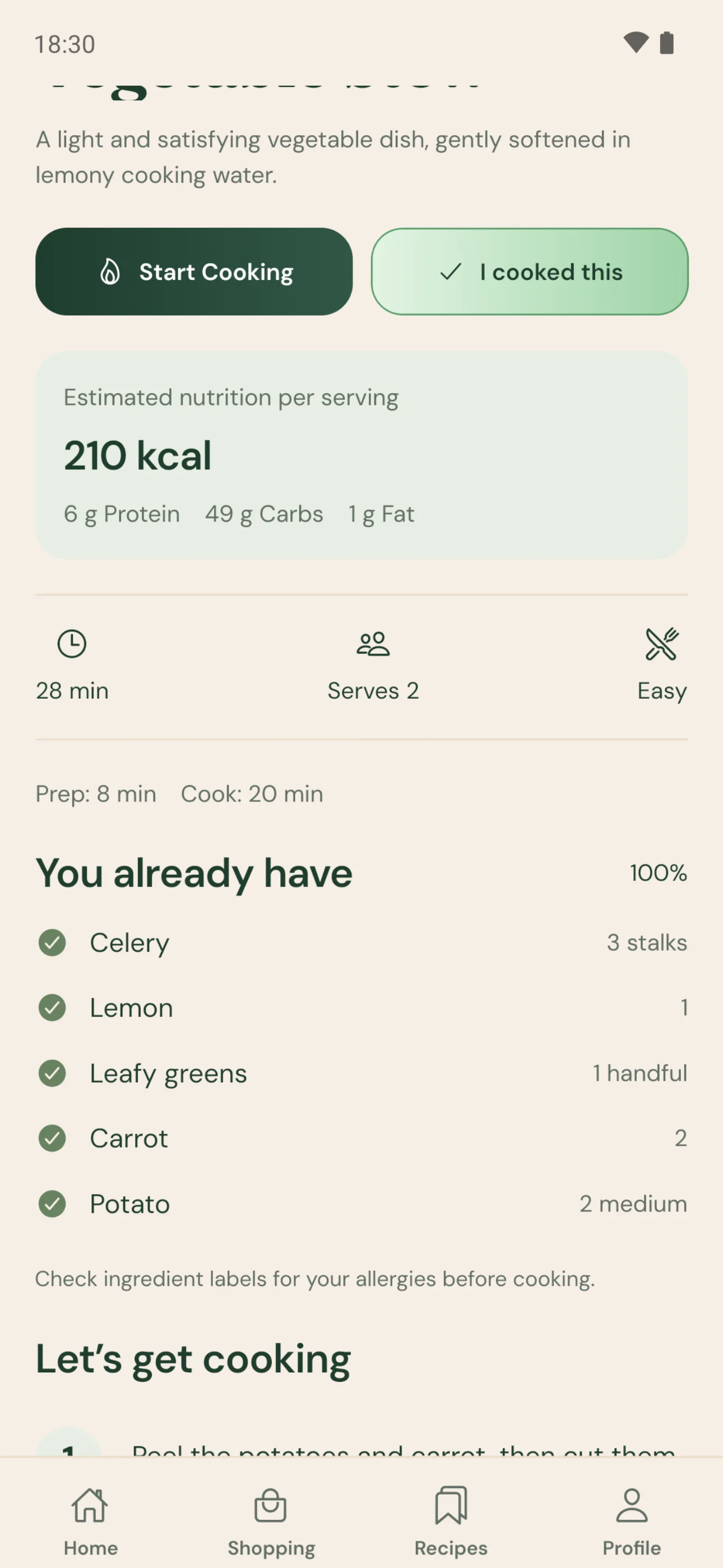
What you have, ticked off
Open a recipe and everything you have sits next to the amount you’ll need.
-
03
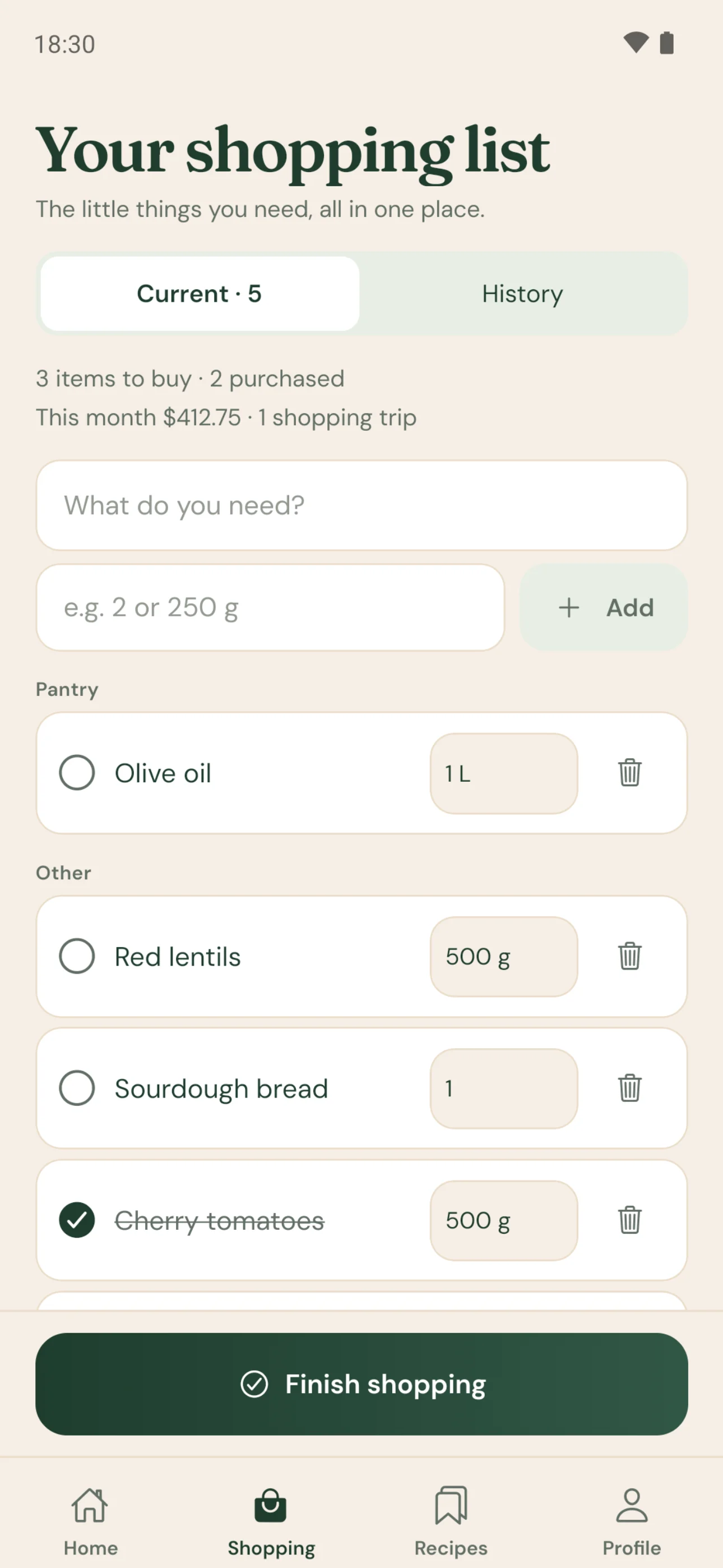
Missing something? Know upfront
Anything missing is listed separately and goes to your shopping list in one tap.
Weekly Plan
Plan your week around your fridge.
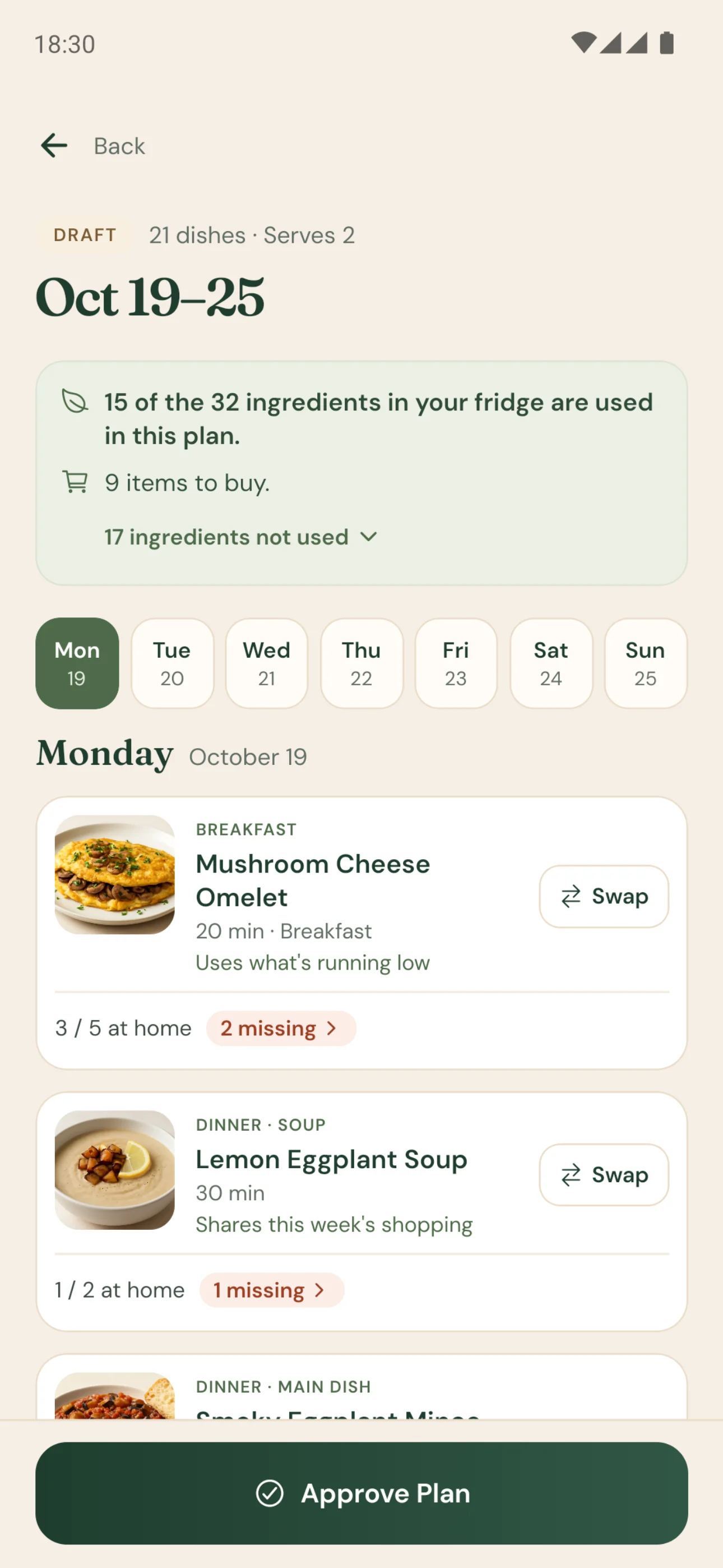
Choose the week, the days, the meals and how many people you’re cooking for. Maye builds a balanced week that uses what’s in your fridge first, and shows everything missing upfront, in one list.
-
01
Your fridge comes first
The plan shows at the top how much of your fridge it uses and how many items you need to buy.
-
02
Swap what you don’t fancy
Not feeling a dish? Swap it for an alternative that fits the same meal and your preferences.
-
03
Approve, then shop
Once you approve the plan, the week’s missing items go to your shopping list in one tap.
Try the Weekly Plan once for free; with Maye Pro you create new plans every month.
-
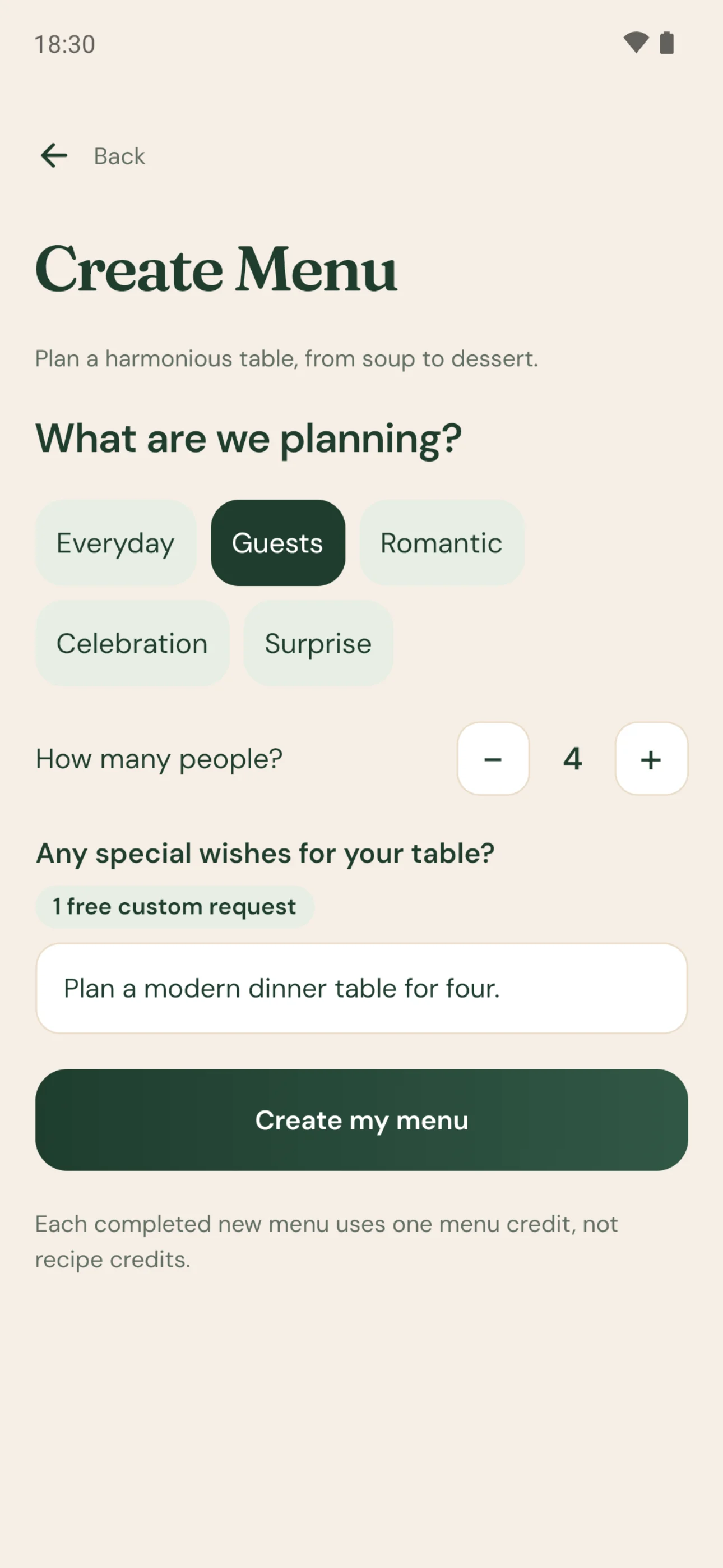 01
Your request
The occasion, how many people, and your own words.
-
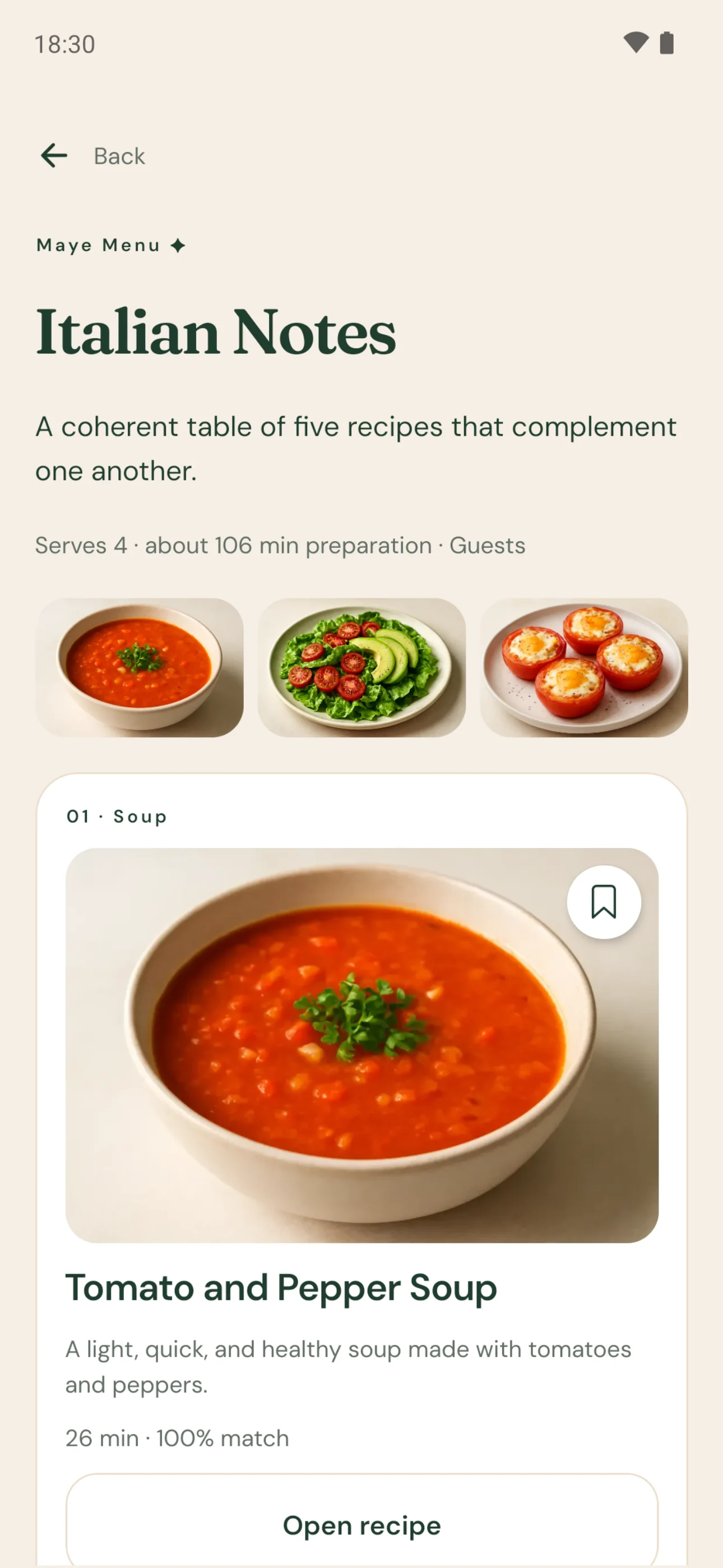 02
Your menu
Recipes that go together, each with its photo.
-
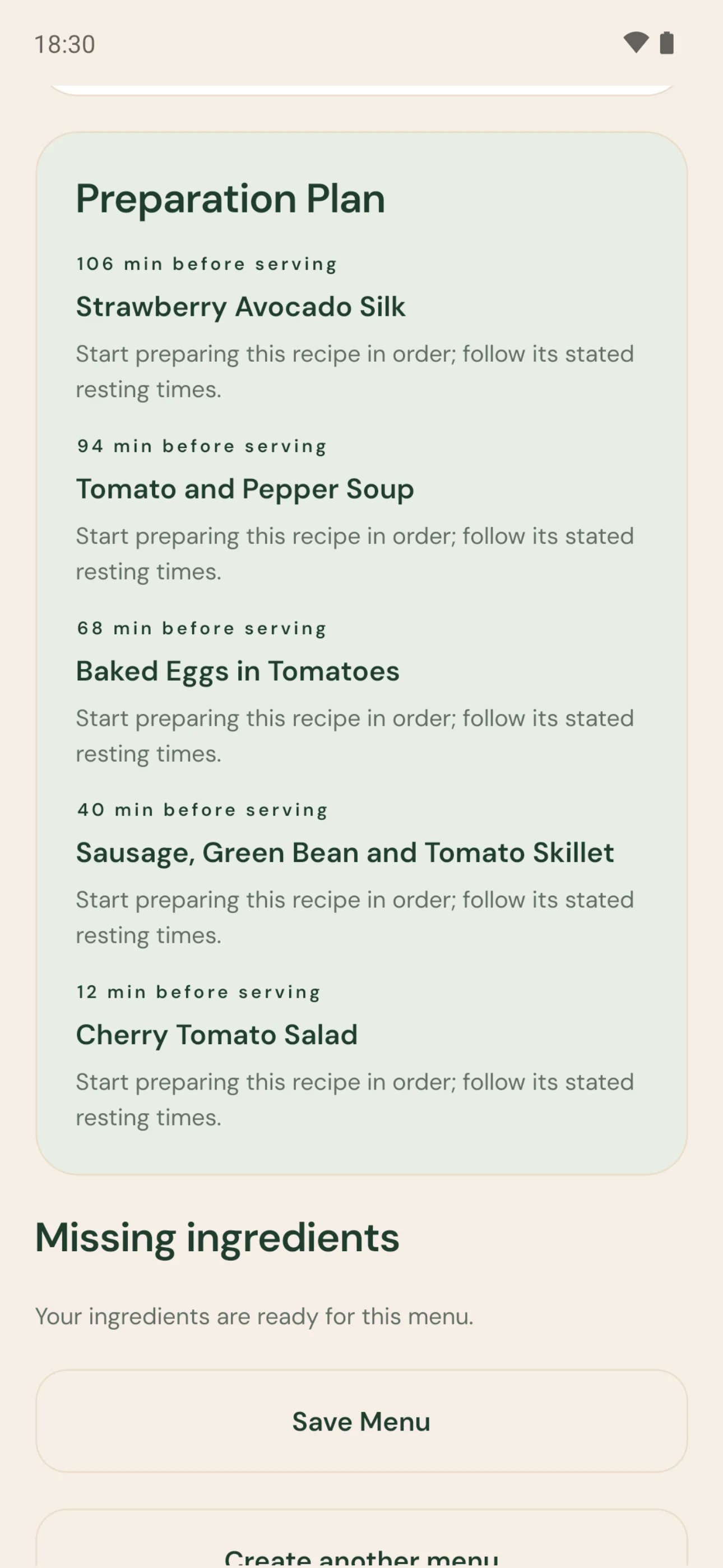 03
Preparation plan
When to start each recipe before serving.
Made for today
Same fridge. Different cravings.
Pick what you feel like today in a few taps, and tell Maye once how you like to eat. Got something more specific in mind? Say it in your own words.
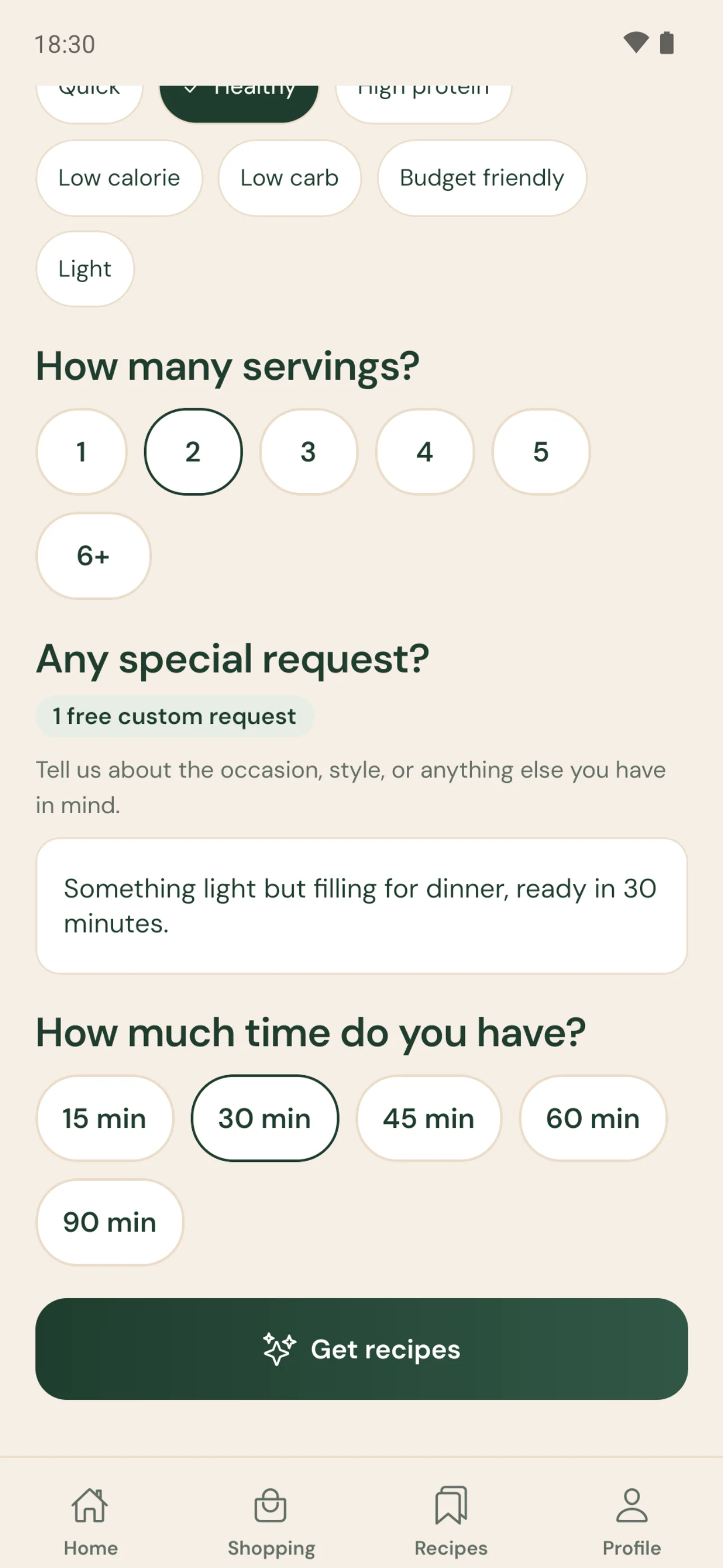
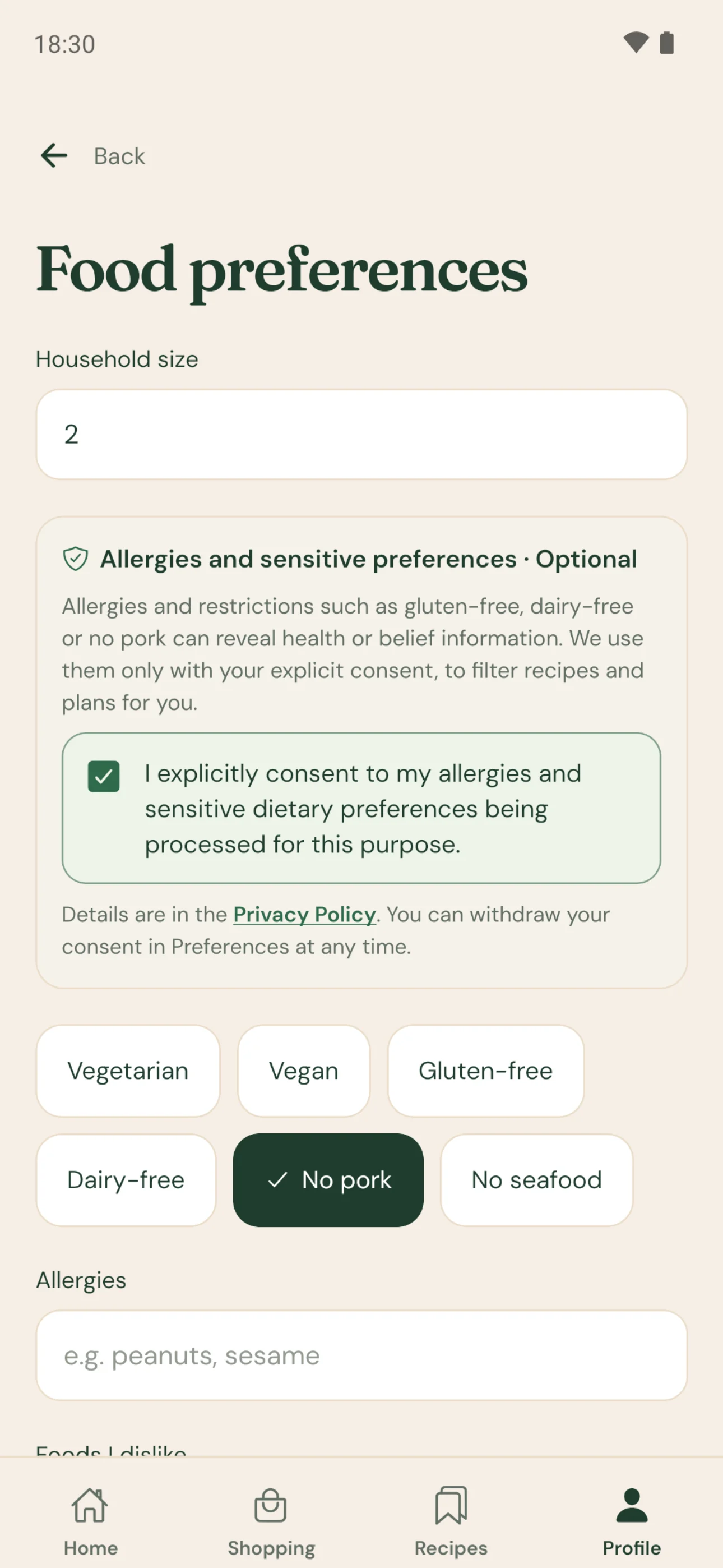
Recipes that fit more than your fridge.
Vegetarian, vegan, gluten-free or dairy-free? No pork or no seafood? Set your preferences once and Maye takes them into account when it picks recipes. For allergies, always check product labels yourself.
Tell Maye what you feel like.
Guests coming, short on time, craving something light? Write it down and Maye shapes its suggestions around it.
Example requests
- Something light but filling for dinner, ready in 30 minutes.
- Turn what I have into a more elegant main course.
- A quick, high-protein lunch, please.

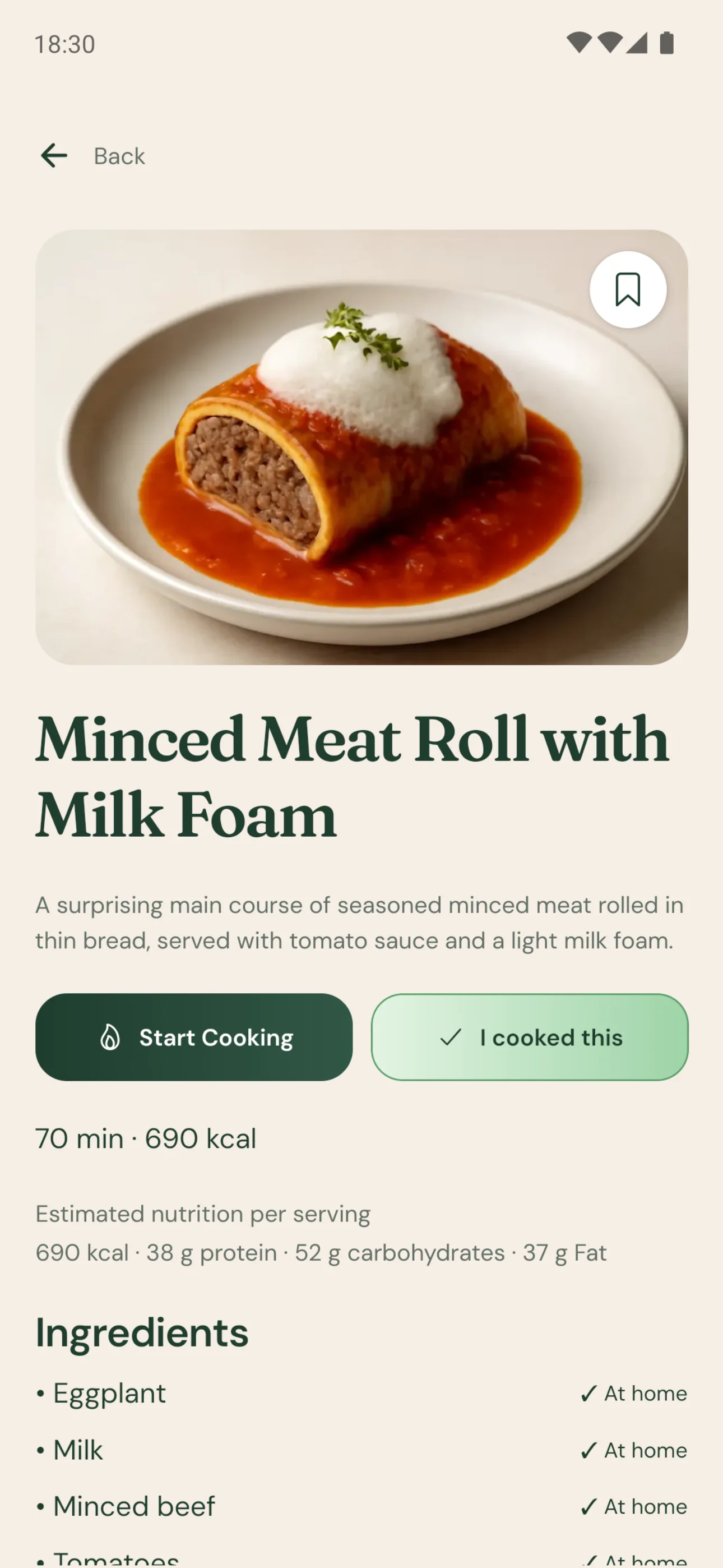
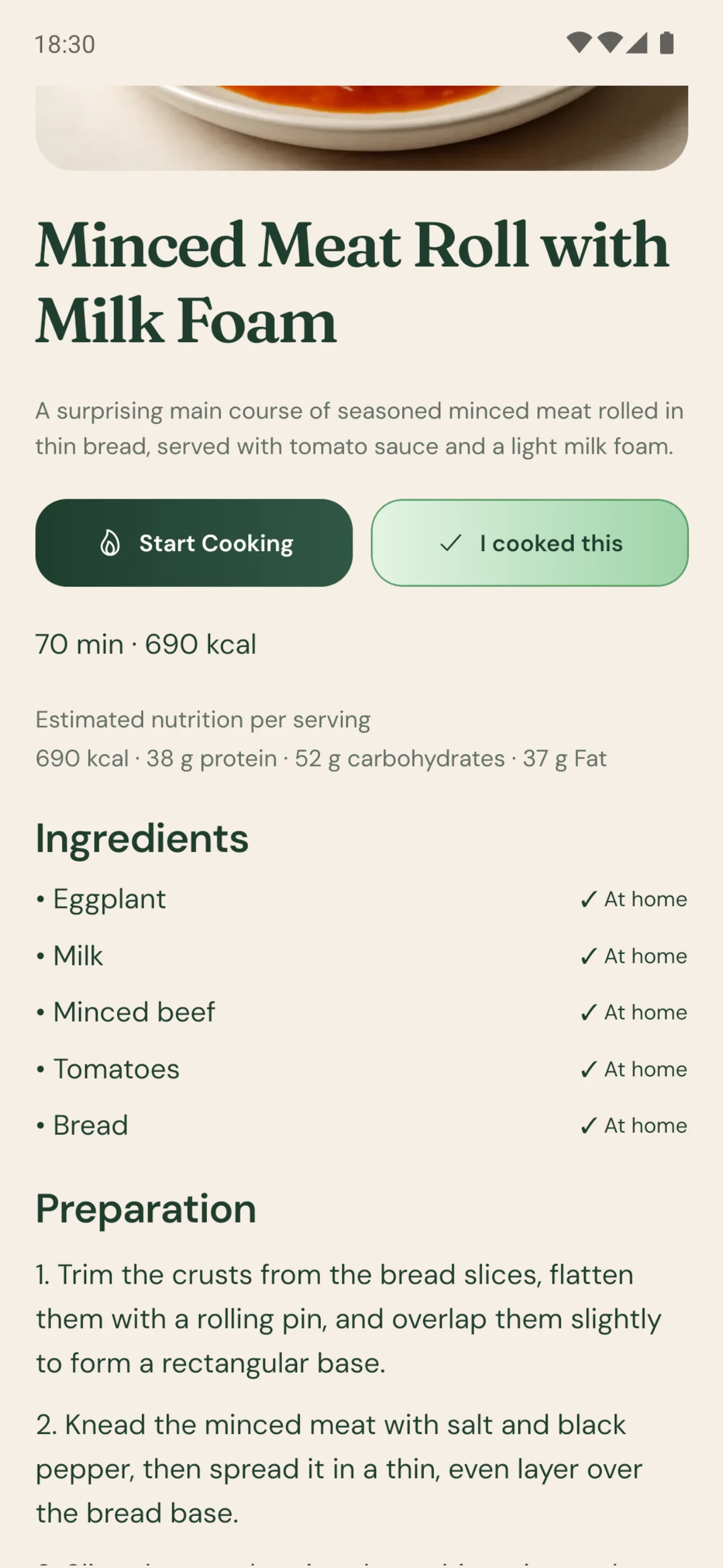
Recipe detail
Every detail of the recipe, in one place.
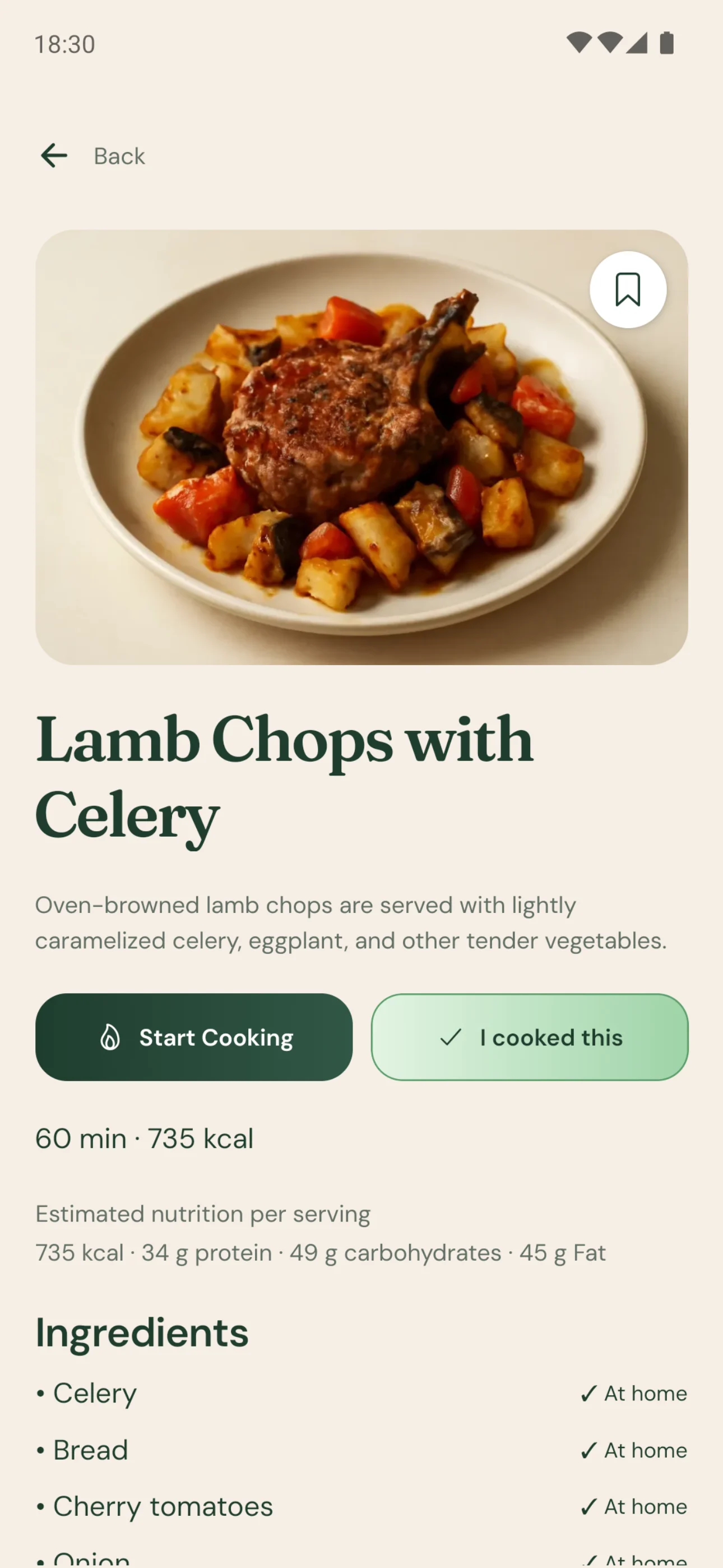
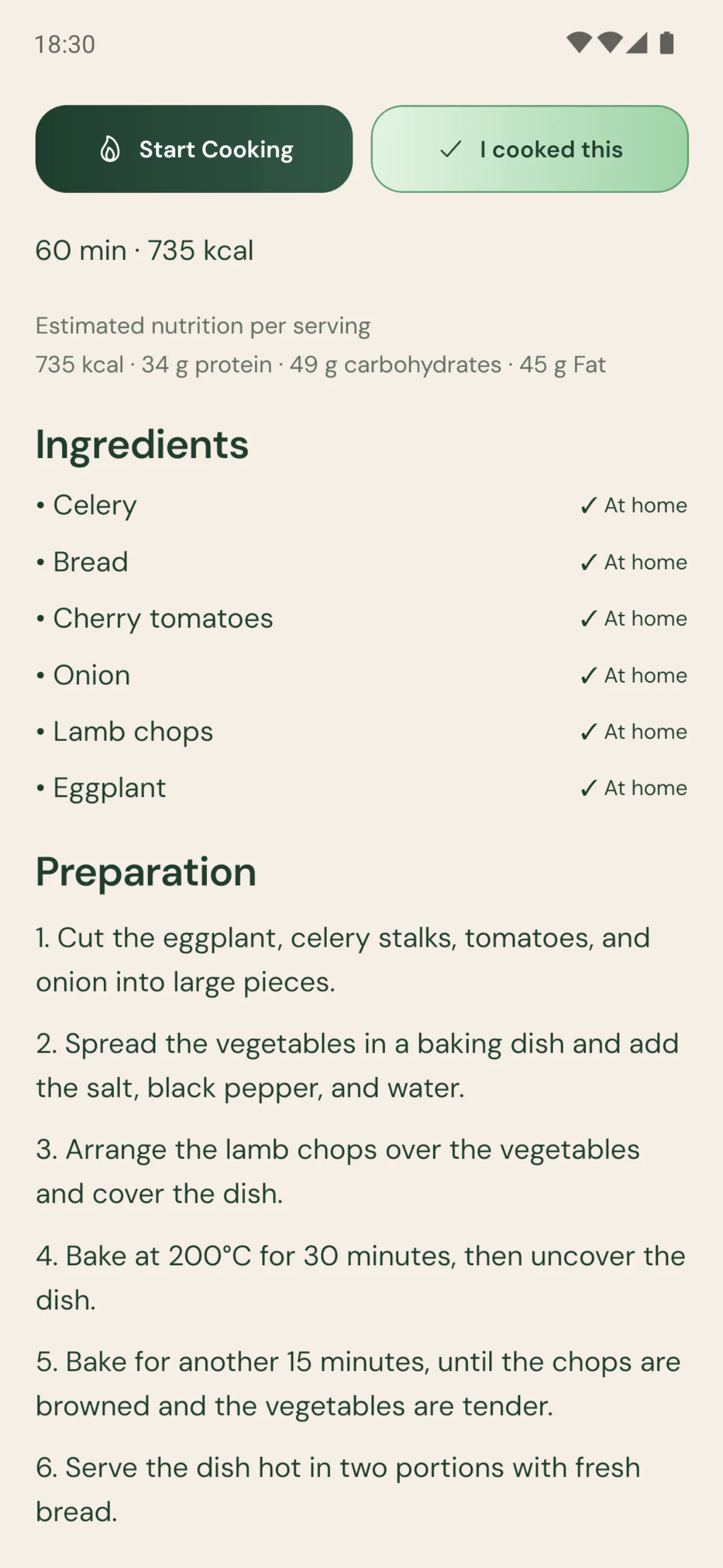
The photo, time and calories; the ingredients and plain, numbered steps. Save the ones you love, mark what you’ve cooked, and start cooking in one tap when you’re ready.
The recipe in this section
Lamb Chops with Celery
- servings
- 2
- prep
- 15 min
- cook
- 45 min
- kcal
- 735
- protein
- 34 g
- carbs
- 49 g
- fat
- 45 g
- fiber
- 10 g
Nutrition values are estimates. Check ingredient labels for your allergies before cooking.
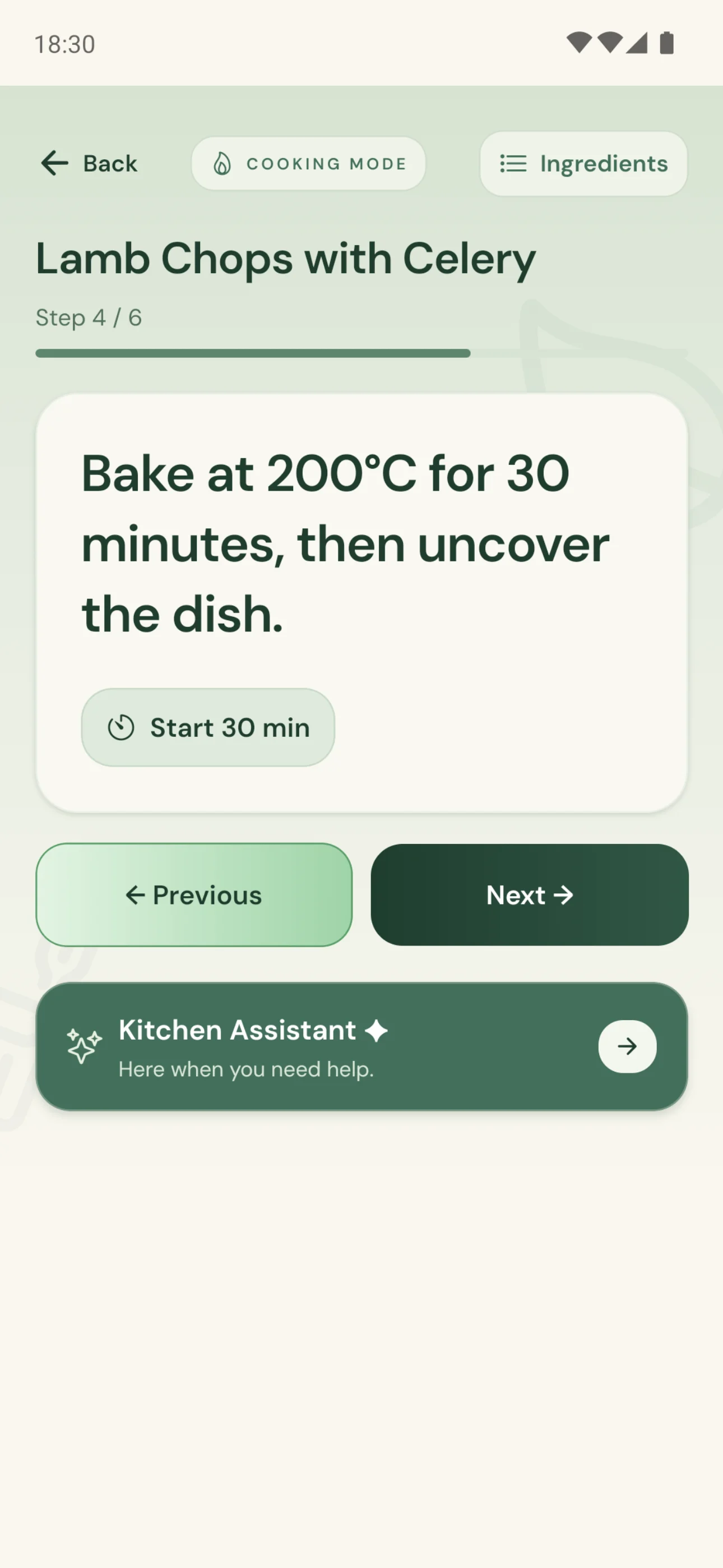
Cooking mode
Right there with you, at the stove.
In cooking mode, steps arrive one at a time, in type you can read from across the kitchen. When a step needs time, start its timer with a tap.
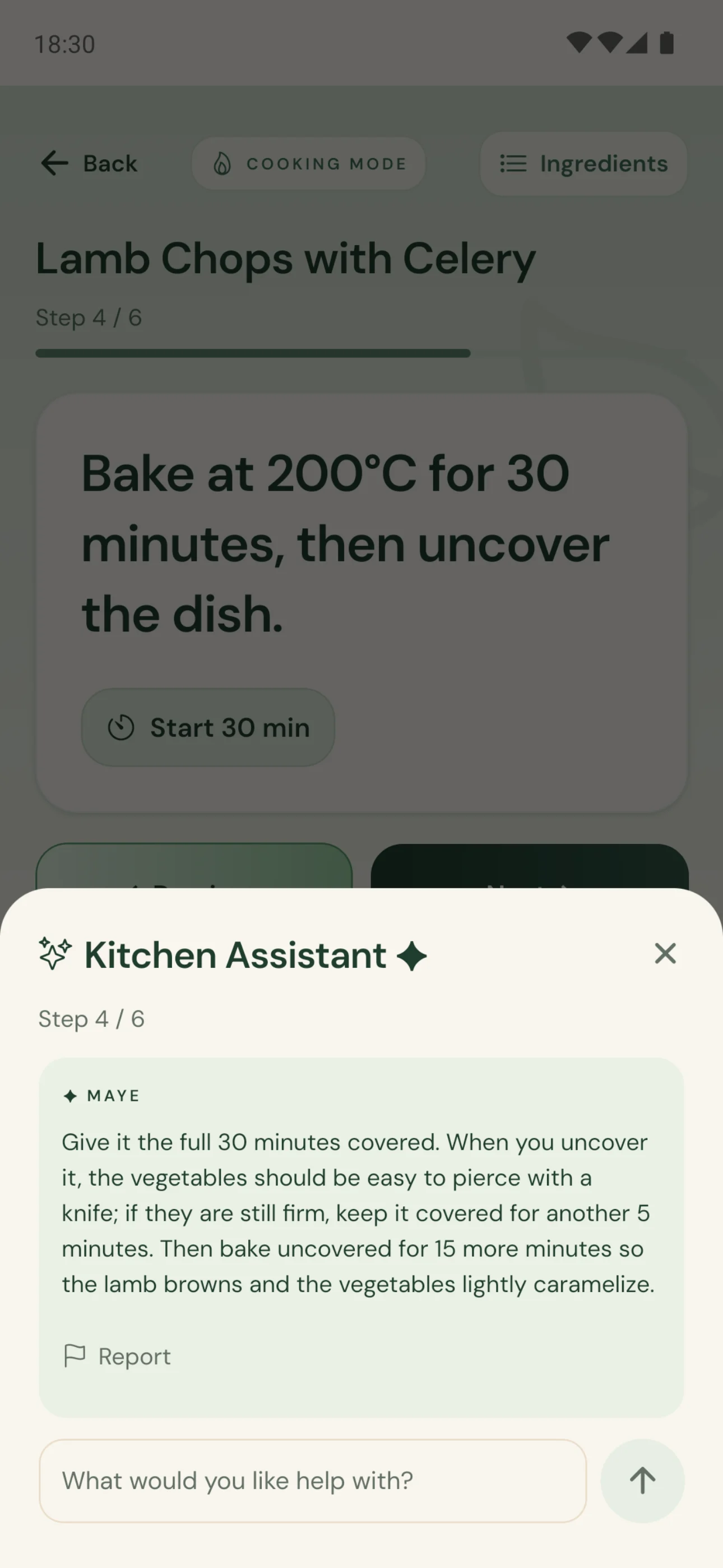
Kitchen Assistant ✦
Stuck on a step? Ask: “What can I use instead?”, “What texture should it have?”, “How much longer should it cook?” Answers follow the step you’re on.
Assistant replies are AI-generated. Always check cooking times and temperatures for your own food and equipment.
It stays with you
Not a one-off recipe finder. Your kitchen’s memory.
Your ingredients, the meals you’ve cooked and your shopping stay where you left them, so you never start from scratch.
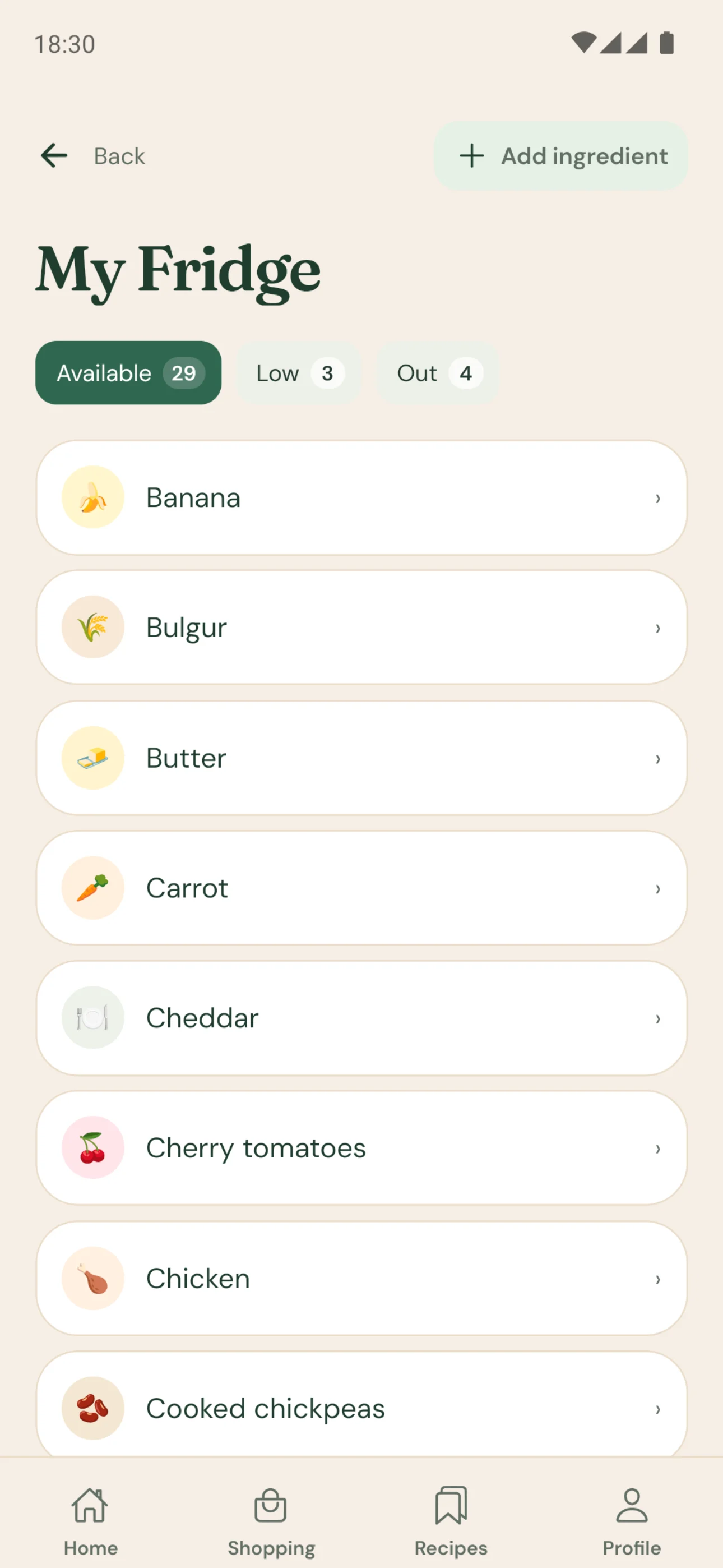
My Fridge
What you scan stays saved. Track each item as available, low or out.
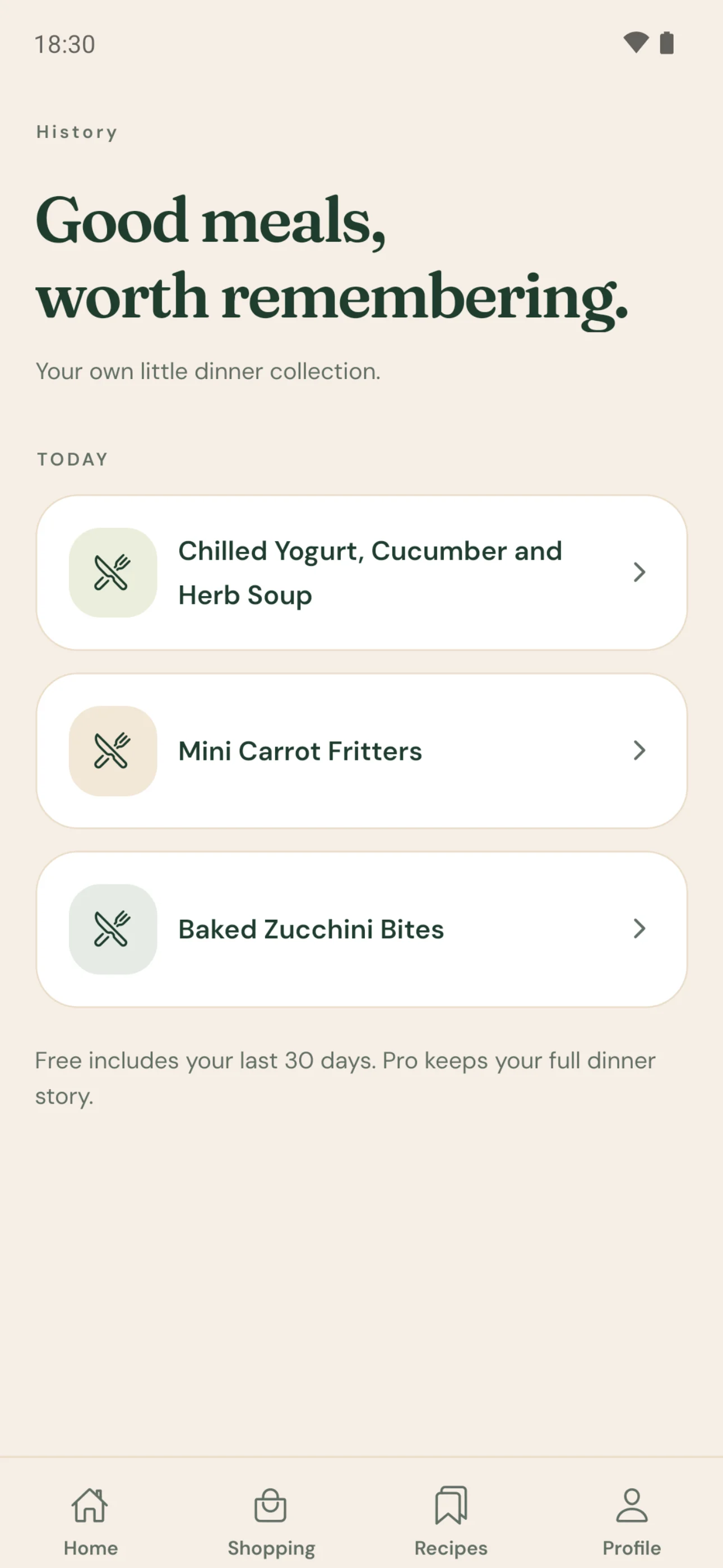
Meals you’ve cooked
Cooked recipes land in your history, ready to open again.
Your shopping
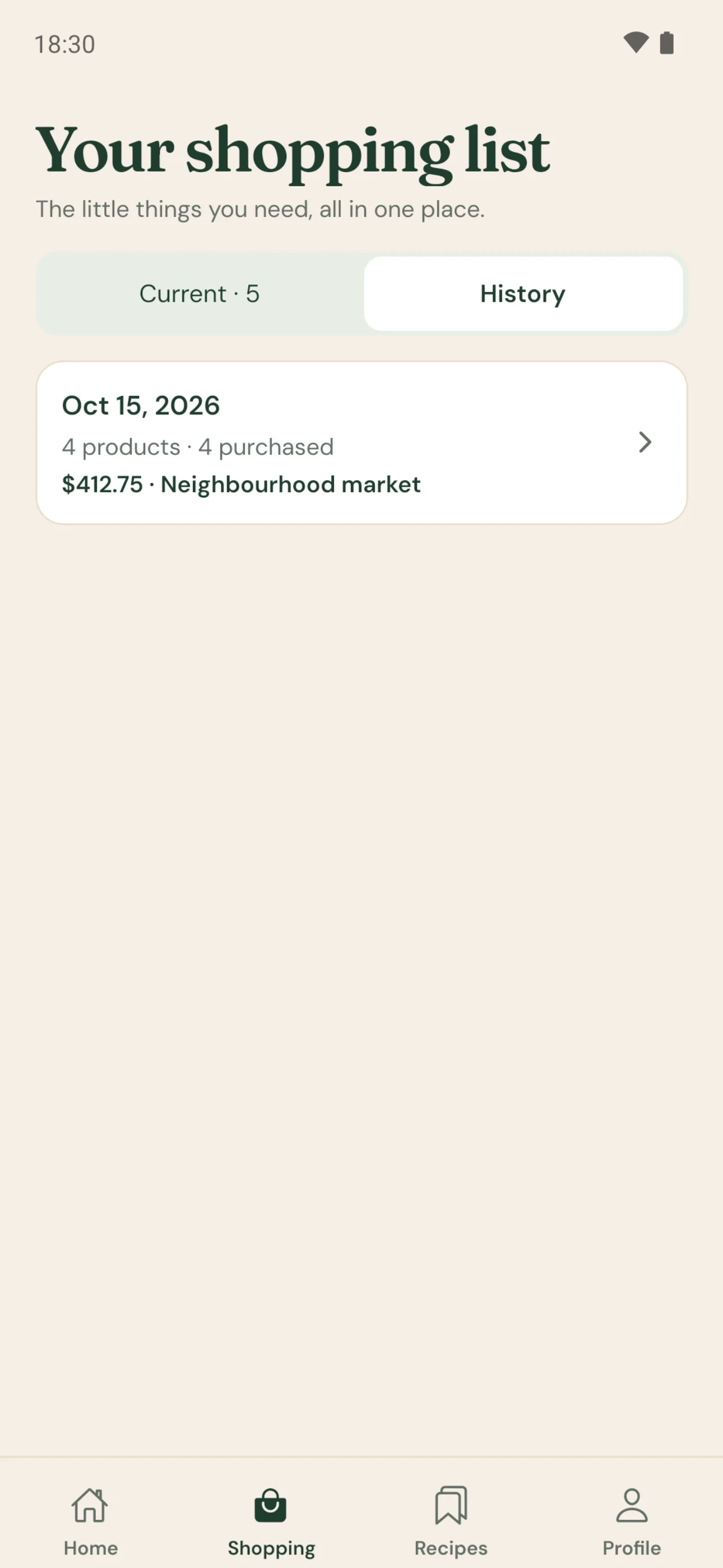
Finished trips are kept, with the total and store if you add them.

Using what you have shouldn’t mean settling.
What’s waiting at the back of your fridge could be tonight’s best plate.
Questions
Good to know
How does Maye recognise ingredients?
The fridge photo you take or choose is analysed with AI to identify ingredients. For that analysis, it may be sent to OpenAI. The result is a suggestion: recognition can be incorrect or incomplete, which is why you always review and confirm the list yourself.
Can I correct the ingredients Maye found?
Yes. On the review screen you can edit, remove or add any ingredient. Recipe suggestions are prepared only after you confirm the list and choose what you’d like to cook. You can also update your ingredients later in My Fridge.
What if I’m missing an ingredient?
Maye puts what you can make with what you have first and tries to keep missing ingredients to a minimum. Anything a recipe or menu still needs is shown separately and can be added to your shopping list in one tap.
How does Maye choose recipes?
Suggestions are based on the ingredients you confirm, the type of dish you pick, what matters to you (such as quick, healthy or high protein), how many people you’re cooking for, and the preferences in your profile. Recipes, menus, times and nutrition values may be AI-assisted or estimated. Always make your own decisions about allergies, diet and health; Maye is not a substitute for professional medical or nutritional advice.
How does the Weekly Plan work?
You choose the week, the days, the meals, the dishes for dinner and how many people you’re cooking for. Maye builds a plan that uses what’s in your fridge first and shows, for every dish, what you have and what’s missing. You can swap any dish, and once you approve the plan, add the missing items to your shopping list.
Is Maye free? What does Maye Pro include?
Maye is free to start: you get a weekly allowance of fridge scans, recipe requests and menus, plus one try each of a custom recipe, a custom menu, the Kitchen Assistant and the Weekly Plan. Maye Pro is an optional subscription with higher monthly limits, monthly Weekly Plans, custom requests, the Kitchen Assistant and your full history. Prices and limits are shown in the app before you subscribe.
Are my fridge photos kept?
Maye does not intentionally retain raw fridge photographs in its own persistent application storage. After processing, Maye stores the scan record, identified ingredients and results you confirm, not the raw photograph. See the Privacy Policy for details.
Where can I get Maye?
Maye is on the App Store for iPhone and on Google Play for Android. It’s free to download.
How can I delete my account?
In the app, open the Profile tab, tap Delete my account and data and confirm with Delete everything. If you can’t access the app, you can make a request on the account deletion page. Deleting your account does not itself cancel an active App Store or Google Play subscription.
Dinner, decided.
Show Maye what you have, and the rest comes together. Now on the App Store and Google Play.